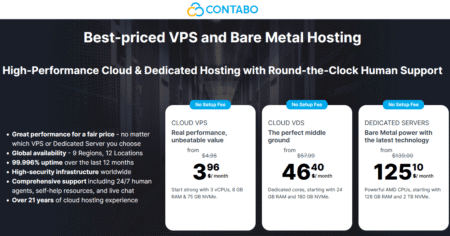


Contabo now offers a free built-in firewall for all VPS and VDS instances, providing users with network-level protection at no extra cost or need for third-party tools. The firewall is accessible through the Customer Control Panel, defaults to blocking incoming traffic, and allows users to permit only the IPs, ports, and protocols they require.
For anyone hosting a website, application, game server, or remote service on Contabo, this is a significant security improvement. It reduces exposure, simplifies setup, and facilitates adherence to the principle of least privilege without relying solely on operating system-level firewall rules.

What Contabo’s Free Firewall Is
Contabo Firewall is a built-in security feature included free of charge with every VPS and VDS instance. According to Contabo, it protects against unwanted incoming network traffic and operates independently from the server’s operating system.
This independence matters because the firewall remains active even if a server is rebooted or misconfigured. In other words, protection occurs before traffic reaches the VPS or VDS, which is precisely where a cloud firewall should operate.
Why This Matters
A cloud firewall provides a strong first line of defense by filtering traffic at the network edge rather than inside the server. Contabo Firewall is a network-level service that blocks all inbound traffic by default, reducing the attack surface from the start.
That is especially useful for users who run multiple services or manage several instances. Instead of opening broad access and then tightening security later, administrators can explicitly define what should be reachable and leave everything else blocked.
Key Features
Contabo Firewall is easy to configure in their Customer Control Panel, provides always-on protection at the network level, is free with every VPS and VDS, and allows flexible rule creation based on IP addresses, port ranges, and protocols.
Easy to configure
You can set up firewall rules directly in the Customer Control Panel, so you don’t need to work only from the command line. That lowers the barrier for beginners while still giving advanced users enough control for precise rule management.
Flexible rules
The firewall supports rules based on specific IP addresses, port ranges, and protocols. It also supports predefined traffic types and custom configurations, helping users quickly set up common services.
Always on
Because the firewall runs at the network level, traffic is filtered before it touches your server. It remains active even if the instance is rebooting or the OS is misconfigured.
Included for Free
The Firewall feature will come built into every VPS and VDS at no extra cost. That makes it attractive for small businesses, hobby projects, and developers who want stronger security without paying for an add-on.
How It Works
The Contabo Firewall blocks all inbound traffic by default using a permanent DROP rule that cannot be removed. To allow access, you need to create Accept rules for the specific traffic you wish to permit.
It gives you control over several important dimensions of traffic filtering:
- Which IP addresses are allowed to connect?
- Which port numbers are open?
- Which port ranges are permitted?
- Which protocols are allowed, including TCP, UDP, and ICMP?
To simplify configuration, Contabo offers several predefined traffic types, so you don’t have to set up custom rules for common use cases.
For example, you can choose from the following:
- TCP: The most common protocol, used for services like web browsing, SSH, and email.
- UDP: Suitable for fast, connectionless communication, such as DNS (port 53), online gaming servers, VoIP services, and VPNs.
- ICMP: Used for network diagnostics, including tools like ping and traceroute.
For most standard services like SSH, HTTP, and HTTPS, it is recommended to choose TCP.
How to Set Up the Contabo Firewall on Your Instance
Contabo offers a simple process for enabling the firewall and assigning instances to it. This process is user-friendly enough for beginners while still providing the detailed control that experienced administrators desire.
Step 1: Create a New Firewall
Log in to the Customer Panel, navigate to the Firewalling section under Network Services, and create a new firewall. You can add a name and an optional description before saving it.

Step 2: Add Inbound Rules
Under the Inbound Rules section, click “Add rule to firewall.” Choose the traffic type, select the protocol, specify the port or port range, and indicate the source IP or network range. It is advisable to use predefined traffic types whenever possible, especially for common services like SSH or HTTPS.

Step 3: Choose the Protocol
For standard web traffic and remote administration, TCP is generally the appropriate choice. You may also select UDP or another protocol, depending on the service you are exposing.
Step 4: Specify Ports
You have the option to allow a single port, multiple ports, or a port range. Be sure only to open the services you need, keeping everything else closed.
A practical baseline rule set might include:
- Restrict SSH on port 22 to your trusted IP address.
- Open HTTP on port 80 if you host a website.
- Enable HTTPS on port 443 if you use TLS.
- Allow 3306 for MySQL only from private or trusted sources.
Step 5: Restrict the Source
In the Source field, you can allow traffic from any IP address, any IPv4 address, any IPv6 address, a specific IP, or a CIDR range. For tighter control, you can also enter a comma-separated list of IPs and networks.
Step 6: Assign Instances
After saving the rules, go to the Active VPS/VDS tab, add the instances you want to protect, and save the changes. Once assigned, the firewall rules will take effect immediately.


Contabo’s free firewall for all VPS and VDS plans is a useful security upgrade because it gives users always-on, network-level inbound filtering at no extra charge. Support for IP-based rules, port ranges, and common protocols makes it easier to secure a server with a cleaner and more controlled attack surface.
If you host anything public-facing on Contabo, the smartest next step is to review your open ports, restrict SSH, and build a minimal firewall policy around only the services you truly need.
Along with a free firewall, Contabo is currently offering discounts of up to 25% on new VPS/VDS plans that include free backup features. If you’re planning to deploy instances with Contabo today, remember to use the Contabo discount code to save even more.
Have a nice day!!!